Using Google Authenticator For Your Website
Google has started offering two-factor authentication for Google logins, using Google Authenticator. They have applications available for iPhone, Android, and Blackberry that give time-based passwords based on the proposed TOTP (Time-based One Time Password) draft standard.
The Google code provides a command line program that can generate secret keys as well as a PAM module, but it turns out to be very little code to authenticate a TOTP, thereby providing two-factor authentication to your website very easily.
To give the user the key, you’ll need to generate a cryptographically-secure 10 byte random key, presented to the user as a base32 16-character string. They can either enter this string directly, or you can use Google charts to provide a barcode that they can scan into the Google Authenticator application:
def get_barcode_image(username, domain, secretkey): url = "https://www.google.com/chart" url += "?chs=200x200&chld=M|0&cht=qr&chl=otpauth://totp/" url += username + "@" + domain + "%3Fsecret%3D" + secretkey return url
For an example of what a code looks like, click here, or, look below:
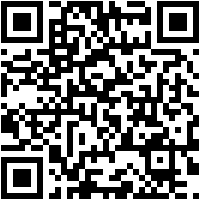
After the user has a secret key from you and has entered it into Google Authenticator either by typing it in directly or scanning in the barcode, you have to be able to verify the key during login (for example). The code to authenticate is only a few lines in Python:
import time import struct import hmac import hashlib import base64 def authenticate(secretkey, code_attempt): tm = int(time.time() / 30) secretkey = base64.b32decode(secretkey) # try 30 seconds behind and ahead as well for ix in [-1, 0, 1]: # convert timestamp to raw bytes b = struct.pack(">q", tm + ix) # generate HMAC-SHA1 from timestamp based on secret key hm = hmac.HMAC(secretkey, b, hashlib.sha1).digest() # extract 4 bytes from digest based on LSB offset = ord(hm[-1]) & 0x0F truncatedHash = hm[offset:offset+4] # get the code from it code = struct.unpack(">L", truncatedHash)[0] code &= 0x7FFFFFFF; code %= 1000000; if ("%06d" % code) == str(code_attempt): return True return False
Really nice implementation! What about the 10 bytes generator? Can I just use os.urandom(10) (in fact: base64.b32encode(os.urandom(10)) ), or is there something more cryptographically secure? (/dev/random is really too slow).
I think using a Radius server like FreeRadius and use its plugin infrastructure to authenticate using your code would be really easy, and really practical as radius plugins are very common (pam, apache module, cisco embedded, etc.)
I’ll try to implement it next week.
Thanks,
Lior
[...] http://www.brool.com/index.php/using-google-authenticator-for-your-website tutorial How to remove WordPress 3.1 admin toolbar » [...]
Good stuff; thank you.
FYI, example link does not work.
Great post! We’ll be integrating some of this to support second factor auth within our web SSO.
Minor nit: the “if code == code_attempt” bit didn’t work for me properly until I forced both variables to be integers (“if int(code) == int(code_attempt)”).
Thanks again!
@Todd Yep. The example link is missing a semicolon before the chld parameter. Add that and it’s fixed.
@Todd, @James: Can you believe it was a bug in the pretty-printer? Rearranged the code for now so that it doesn’t hit the bug. Thanks.
There appears to be a bug in your implementation. The problem arises when the code is less than X digits. In the reference implementation in the RFE the number is padded with preceding zeros up to a specified code length. To do this I believe you will need to convert the int to a str, and then you can use zfill like this:
code = str(code).zfill(code_length)
Then you will need to make sure that the comparison operator is working on like types, so this:
if code == code_attempt:
Should probably be changed to this:
if code == str(code_attempt):
Anyway this problem only occurs when less than code_length worth of digits is returned, it looks like in Google’s case the code_length = 6.
@Erinn: Thanks, made changes to the code example.
For extra security you should make sure that every token is only accepted once. If you won’t an attacker might get a 1.30 Minute time frame to login with the same code again.
[...] ????????? ???????? ????? ???????????? ????? ?? ?????? ??? ?????????????? ? [...]
Nice, that’s pretty slick code. I’ve written the entire thing in PHP although thanks to a total lack of base32 support the code is a heck of a lot longer.
http://www.idontplaydarts.com/2011/07/google-totp-two-factor-authentication-for-php/
The example link doesn’t work again. Google requires and enforces https:// access to the charting page now :-)
@Todd: Argh. Thanks, fixed. Also added a copy of the image itself to the article, let’s see Google break that, hah!
[...] the math operations in the C code from Google weren't that clear to me, so I went searching for a Python implementation of the Google Authenticator and found one written by Tim Lopez. His code was interesting because it uses pack and unpack in [...]
Hi
The example link doesn’t work again. Google changed the url to https://chart.googleapis.com/chart
regards
@Ralph: thanks very much, fixed it again.
Passing the secret tokens through a 3rd party server really doesn’t sound like the right way to handle a security feature.
I would just use python-qrcode to generate it locally and display it in a data uri to the user:
https://github.com/lincolnloop/python-qrcode
umm I’m using python through terminal and for the creating of the barcode when I click enter this is what it looks like (Hid login)
python
Python 2.7.3 (v2.7.3:70274d53c1dd, Apr 9 2012, 20:52:43)
[GCC 4.2.1 (Apple Inc. build 5666) (dot 3)] on darwin
Type “help”, “copyright”, “credits” or “license” for more information.
>>> def get_barcode_image(Noah, jeff, n223f546g79245ft257j74h39u):
… url = “https://chart.googleapis.com/chart?”
… url += “chs=200×200&chld=M|0&cht=qr&chl=otpauth:/totp/”
… url += username + “@” + domain + “%3Fsecret%3D” + secretkey
… return url
…
@noah: I think you put in constants instead of the parameters. All the function does it concatenate everything, though, so if you want the URL for those parameters, it would be https://www.google.com/chart?chs=200×200&chld=M|0&cht=qr&chl=otpauth://totp/Noah@jeff%3Fsecret%3D223f546g79245ft257j74h39u
[...] the server side, implementing two-factor support is actually very simple (for instance, about 20 lines of Python). There are even libraries for it in a number of common languages. You’re basically just [...]
I’m using Python 3.2.
I generated a test secret using:
base64.b32encode(os.urandom(10))
When I run your code, I get the following error:
offset = ord(hm[-1]) & 0x0F
TypeError: ord() expected string of length 1, but int found
@Aaron: Yeah, it looks like Python 3.2 changed some type signatures to take bytes instead of strings. Deleting the “ord” should make it work for you — I’ll take a look tonight and find a more elegant fix that is compatible with both Python 2.x and 3.x.